Vosita admin tools

Turning connected accounts, changing responsibilities and complex support tasks into a navigable admin experience for Vosita.

My roleProduct design, from requirements and information architecture to flows and UI
ScopeProvider, group and patient administration; shared system information
OutcomeConnected workflows for account management and provider support

Overview

Behind Vosita’s patient-facing experience is a support team managing providers, groups and the information those accounts rely on. Their work crosses account boundaries: a provider may belong to a group, be managed without their own login, or need a review when that relationship changes.

My challenge was to translate that breadth of requirements into an interface staff could understand and act on. The goal was to reduce the effort of finding the right account, understanding its state and taking the next action while keeping the system workable as requirements evolved.

I led the design of these admin tools, translating requirements into the information architecture, user flows and interface details. Over four years at Vosita, I developed and refined the experience through ongoing work with the team.
The challenge

Support staff need to do more than find a provider’s profile. They review signups, handle account changes and manage information on behalf of providers and groups. The right action depends on the account’s status and who is responsible for it.

For example, a group can manage a provider who has no login credentials. If that provider leaves the group, support needs a way to review the change and help establish how the account will be managed next.

I needed to make three things clear:

  • Where to find the account or request.
  • What its current status means.
  • What support can do next, and on whose behalf.

Organizing the admin

I grouped account management into three main areas: patients, providers and groups. Each area gives staff a consistent starting point for finding records and handling related requests.

Account lists and review queues have different jobs. Lists help staff find and manage accounts. Queues bring requests that need a decision into a dedicated workspace.

Vosita admin
  • Patients

  • Providers

    • Accounts
    • Account verification
    • To-be-claimed profiles
    • Requests
  • Groups

  • System Info

    • Insurance
    • Specialties & reasons

Shared information has its own home in System Info. Insurance plans sit under their carriers, appointment reasons under their specialties, and professional credentials in a shared list. Staff can maintain these once for use across the product, rather than inside individual accounts.

This structure gives each task a starting point. The next step was connecting those areas when support needed to follow a relationship between accounts.

Finding linked providers

A group and its providers are managed in separate areas, but support often needs to move between them. Sending staff back to a general provider search would make them rebuild context they already had.

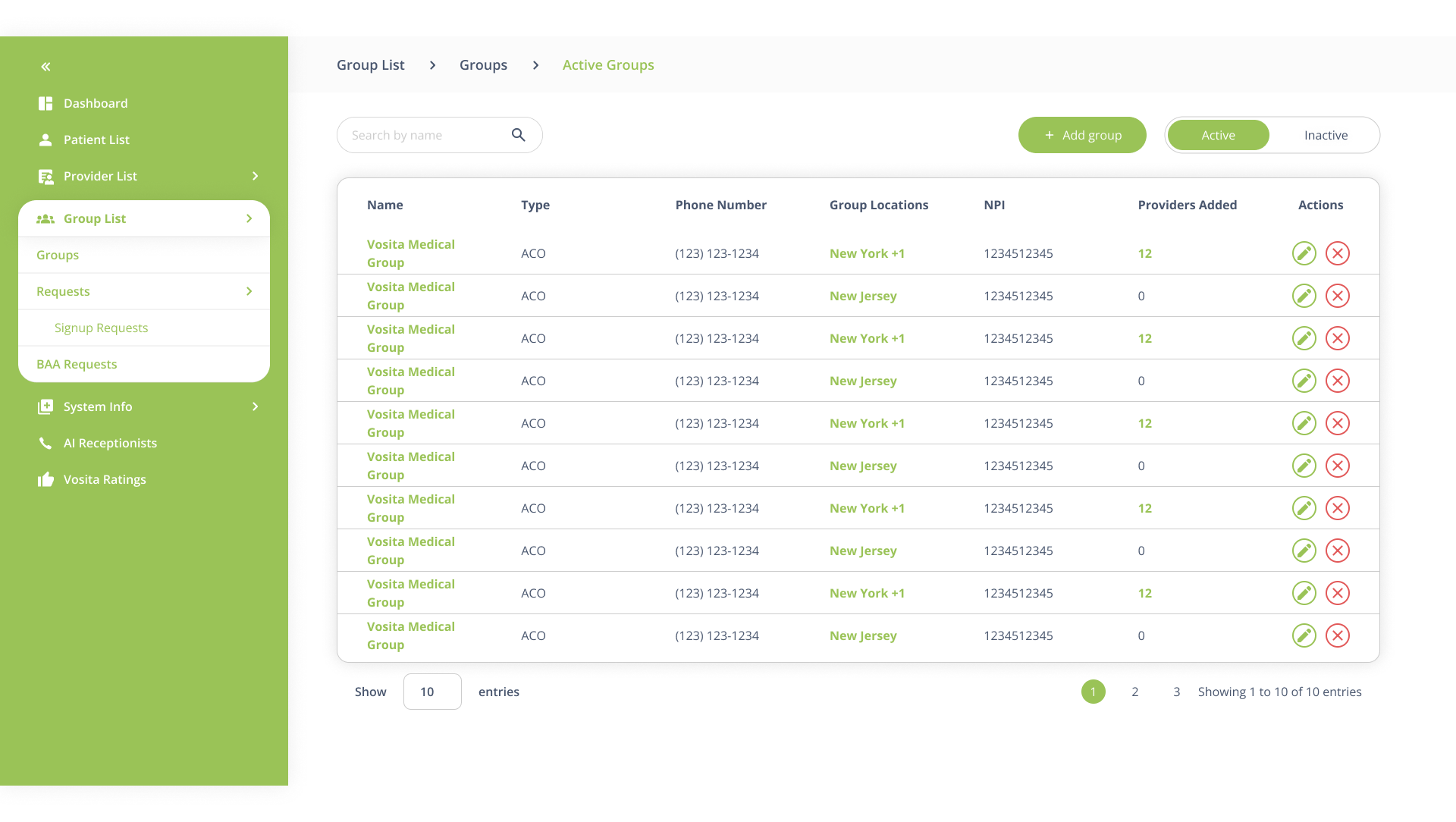
I made the linked-provider count on the group row a route into the provider list. Selecting it opens that list with the group filter applied, so staff can continue working with the same group’s providers.

Group list with account status tabs, locations and linked-provider counts

This reuses the provider list and its controls while carrying the group relationship into the next view. The group area remains focused on the organization; provider-level work stays in the provider area.

Reviewing account changes

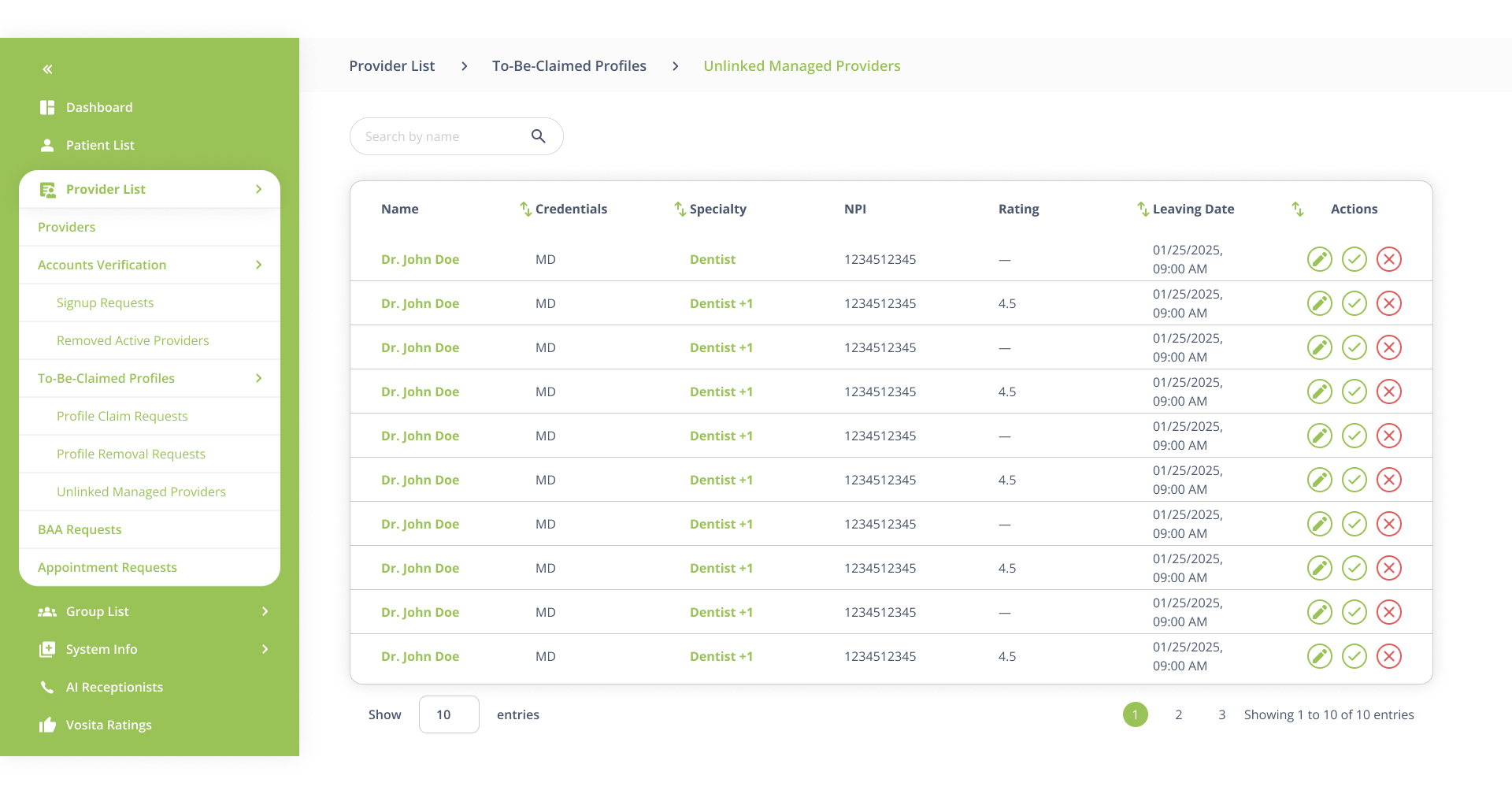
Finding an account is different from deciding what should happen when its relationship changes. I gave those decisions dedicated review queues, including Removed Active Providers and Unlinked Managed Providers.

These queues separate different situations instead of treating every departure from a group as the same account change. Staff can inspect the provider’s information and choose an approval or rejection action in the relevant queue.

Unlinked Managed Providers queue with account details and review actions

For an unlinked managed provider, rejection includes reasons such as an invalid NPI, a duplicate account or an inability to verify the practice, plus an option to explain another reason. The decision is connected to the reason for it.

I also kept account status separate from request status. Active, inactive and to-be-claimed describe provider accounts; pending and addressed describe appointment requests. In an appointment request, staff can see the patient, provider type, practice, insurance and handling status together, including whether the provider or admin team has addressed it.

Supporting provider accounts

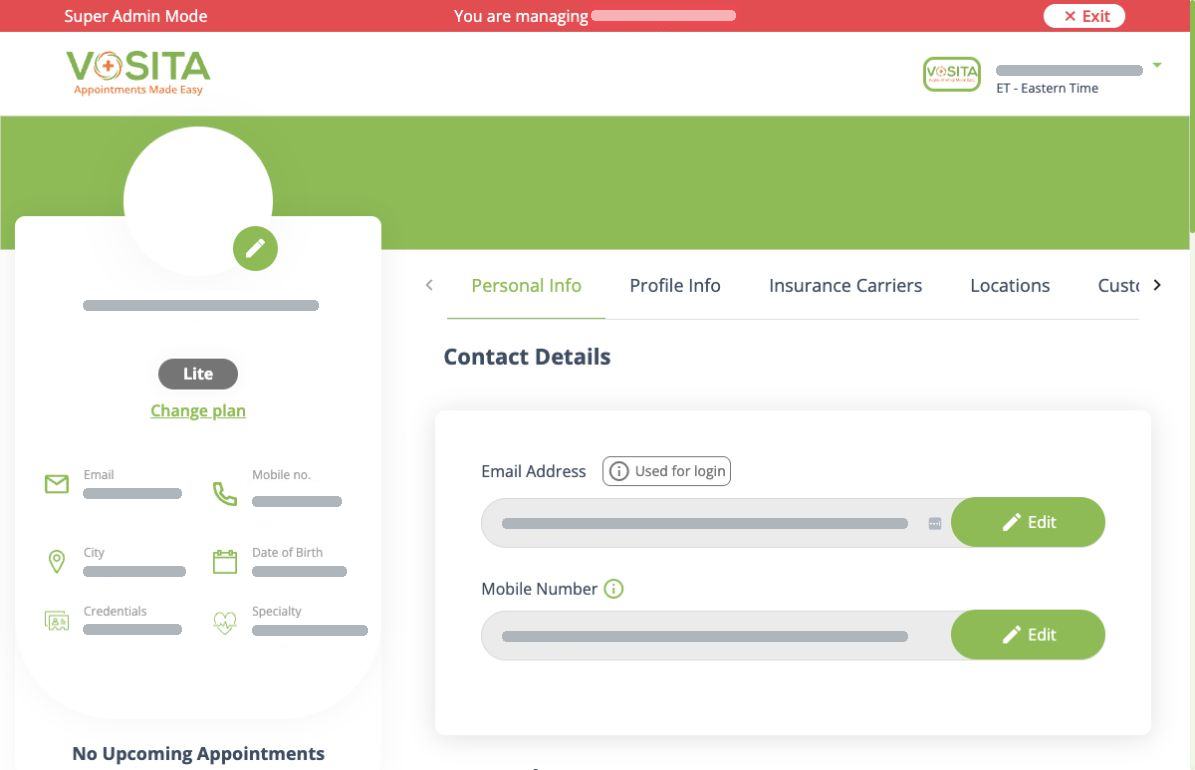
Some support tasks require working inside an account. Choosing Edit on a provider or group opens its workspace in Super Admin Mode.

I kept a red banner visible throughout that workspace to identify the mode and the account being managed. An explicit Exit action, followed by confirmation, returns staff to the corresponding admin list.

Provider workspace with the persistent Super Admin Mode banner and Exit control

The workspace follows the account’s own organization. For providers, that includes identity, profile, insurance, locations, messages and settings. Groups have their own sections, including group information, group users and locations.

Reusing these workspaces avoids a separate admin form for every account task. The trade-off is that the change of context must stay clear: staff need to know whose account they are changing, which controls apply and how to return. Plan-dependent restrictions and disabled controls also need to make sense in that support context.

What I learned

The design brings account lists, relationship-based navigation, review queues and account-level support into the same admin experience. Staff can start with an organization, find its providers, review a change in responsibility and enter the relevant account workspace.

The central lesson was that organizing the navigation was only part of the problem. Each flow also had to explain what had changed, which action was available and whose account the administrator was acting on.

To evaluate the efficiency goal, I would measure representative tasks: finding a group’s provider, resolving an account-transition request and completing an impersonated edit. Task time, backtracking and wrong-account errors would show where the experience still needs work.

© Omar Mansour. Views are my own and do not represent my employer.Back to top